


Know who is really on site
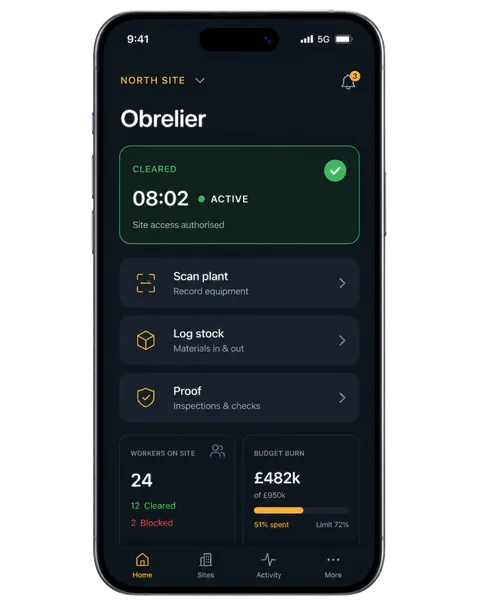
Workers clock in with the app, verified, and only on site. The office sees who is there right now, not who said they were.

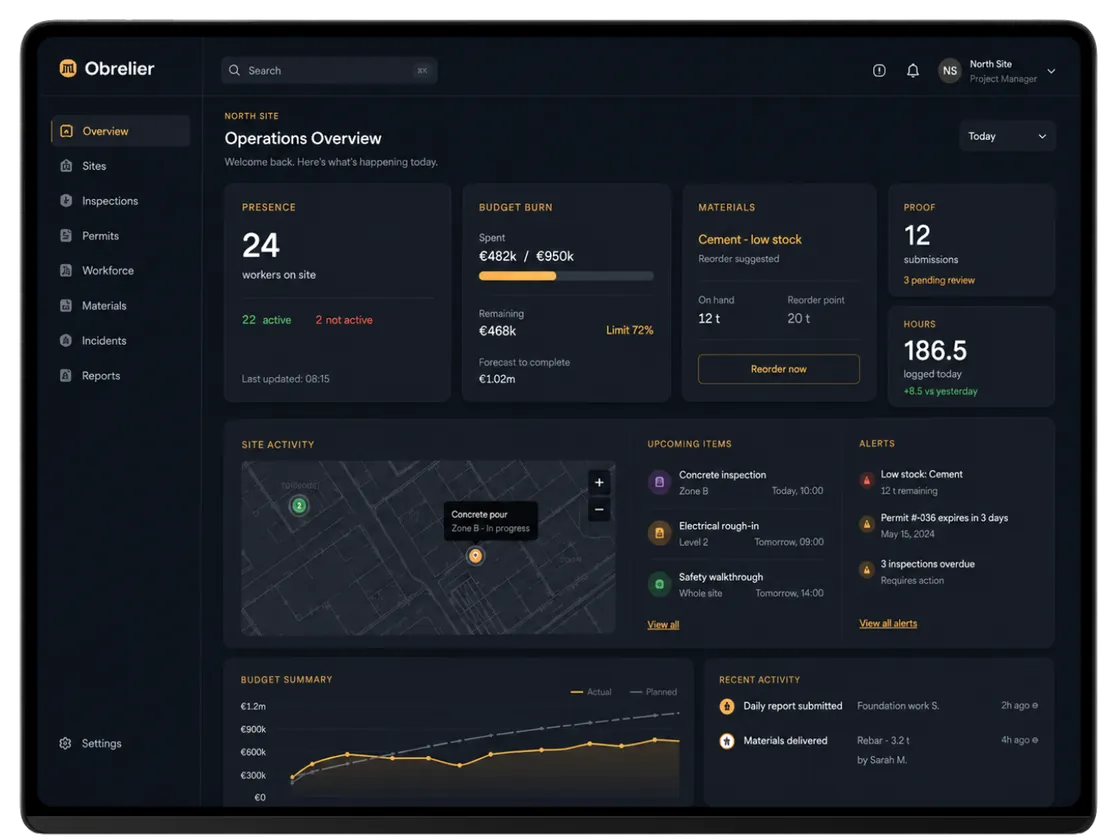
Who is on site right now, who turned up late, what is running low, and which job is burning money. One screen per site, and an assistant that answers in plain words.
Demo includes admin and stakeholder access.


Field
Ops
Field and office
The crew's phone and the office dashboard read from the same record. A clock-in, a materials request or a voice-note report on site is on the manager's screen seconds later.
Clock in on site, see your shifts, request materials, send a quick report at clock-out, confirm you're safe in an evacuation.
What you get
Real screens from a working account.
Workers clock in with the app, verified, and only on site. The office sees who is there right now, not who said they were.
A phone that stops reporting, a shift that runs too long, someone who turned up late: it surfaces on the site, with a one-tap way to check in with the worker.

A map, a needs-a-look list ordered by urgency, and progress and budget per site. Finished jobs archive with their history intact.

Who is on site? What is running low? Who was late this week? Answers come from your own data, in English or Spanish, ready to copy or export. Read-only.
Who is on site right now?
Gulberg Tower has 3 people on site. One of them hasn't reported in a while.
Action Check in with that worker from the site's Needs a look panel.
Answered from live data.
Also in the box
Plan shifts for one person or the whole crew and see attendance against the plan.
Stock per site, requests from the crew, and deliveries you can follow to the gate.
One action from the site. Everyone on it is alerted and confirms they are safe.
A quick report at clock-out, summarised for the office.
Clocked hours become payslip lines you can finalise and export.
Consent records, one-tap withdrawal and erasure requests, built in.
Who gets what
See what managers, owners, and clients each get from the same North Site.
Who is on site, who went quiet, what is late, what is short. Fix it from the same screen.
Site health, budget used, payroll runs, and the exceptions that need a phone call.
Who is on their site, the site sheet, evacuation, and alerts for their crew.
Pricing
Every worker who clocks in during a month counts once. Office, admin and foreman seats are free. Start with a 30-day trial, no card needed.
The legal time record, done properly, on any number of sites
€4.76 per worker · 25
€79 a month with 15 workers, then €4 each
For contractors running several sites with 10 to 150 workers
€15.96 per worker · 25
€149 a month + €10 per worker, €8 from the 51st, €6 from the 151st
For groups and large firms
€99.60 per worker · 25
From €2,490 a month: Obra rates + €990
Prices exclude VAT and assume annual payment. Monthly with a 12-month commitment costs 10% more, and monthly with no commitment 20% more.
How many workers clock in each month?
Slide to your crew size. Every plan's price updates.
25 workers on Obra: €399 a month, €15.96 per worker
Paid 2-week pilot
€990
For firms with 50 or more workers. We set it up with you on your real sites. Credited in full if you sign up for a year of Obra or Grupo.
Two weeks on your own site, then decide.
Trust
You get site truth your office can trust, and privacy that stays purpose-bound.
Every clock-in is verified before it counts, and the trail is kept. The hours you pay are the hours that happened.
Biometrics are optional and under the worker's control, with consent recorded and withdrawal in one tap. Face data and work records stay in the EU. Details on the Security page.
Admins see everything for their company and nothing from anyone else's. Foremen see their sites in the app. Workers see their own shifts, payslips and time off.
What the rules ask for, and how the app keeps the record for you.
Book a live demo
Thirty minutes on a real job: who is on site, what is running low, and what the office sees. Pick a slot that suits you.
No commitment. We set up a trial company with your sites so the demo is about your work, not ours.
Obrelier collects location data to confirm workers are on site when they clock in and out, to alert them if they leave the site during a shift, and to share a delivery driver's arrival time with their manager during a delivery, even when the app is closed or not in use. Location is collected only during a shift or an active delivery, never in between, and is shared with the worker's employer for these purposes only. Background ("Allow all the time") access is optional. Privacy policy